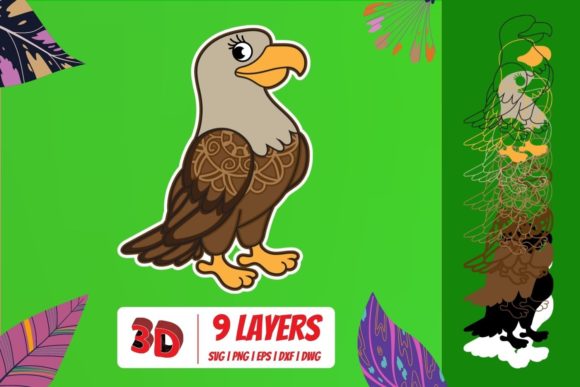
3D Eagle SVG Cut File: Evaluating Its Value for Creative Projects
Working with layered SVG designs has become a standard part of many creative workflows, whether you run a small craft business, produce content for print-on-demand platforms, or manage marketing materials for a professional brand. Among the more visually striking options available, the 3D Eagle SVG Cut File stands out as a versatile asset that goes beyond simple flat graphics. It offers dimensional depth, national symbolism, and a level of detail that can elevate a project from basic to polished. But how does it perform under real-world conditions? This article takes a practical look at what the 3D Eagle SVG Cut File provides, where it shines, and where it may require adjustments.
Understanding the 3D Eagle SVG Cut File
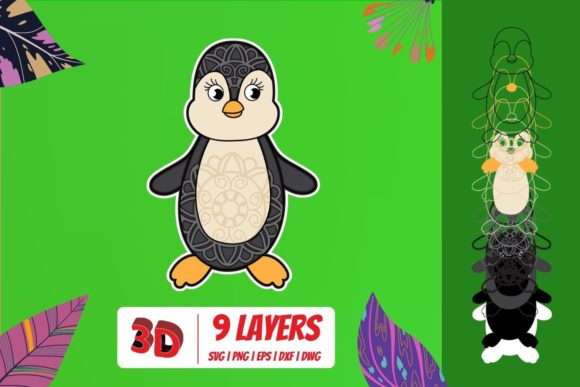
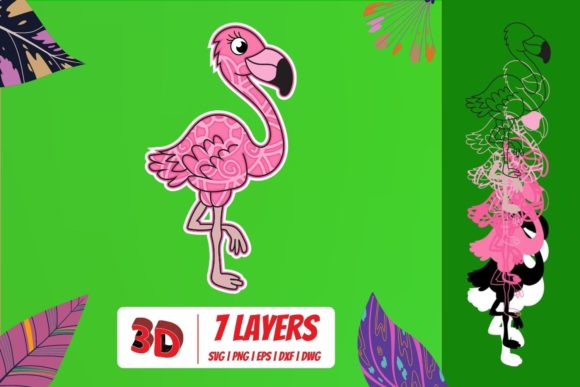
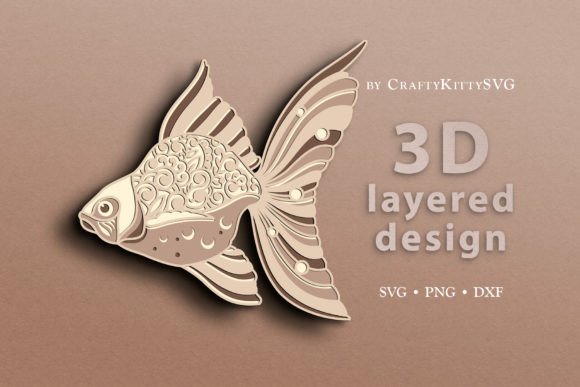
At its core, a 3D Eagle SVG Cut File is a vector-based design that uses multiple layered elements to create the illusion of depth. Unlike a standard silhouette eagle, this file typically includes separate components for the body, wings, head, feathers, and sometimes a shield or banner. Each layer is intended to be cut from different materials—such as cardstock, vinyl, or adhesive foil—and stacked to produce a three-dimensional appearance. The result is a design that appears to have shadow, contour, and relief, even though it is made from flat sheets.
The 3D designation does not refer to a digital 3D model, but rather to the assembly process. When you open the file in software like Adobe Illustrator, Inkscape, or Cricut Design Space, you will see individual paths grouped by color or layer number. These correspond to the order of assembly, with the background layer serving as the base and each subsequent layer adding more detail and elevation. For anyone accustomed to working with 2D SVGs, the 3D Eagle SVG Cut File introduces an extra dimension of planning and craftsmanship.
What makes it worth discussing is the combination of a universally recognized symbol—the eagle—with a production technique that adds perceived value. An eagle rendered in 3D layered form can feel more substantial than a flat sticker or decal, which matters when you are creating products intended for display, gifting, or resale.
Layer Structure and Detail
A well-designed 3D Eagle SVG Cut File will typically contain between four and eight layers. The base layer is a full outline of the eagle, often with a slight offset to act as a shadow or backing. Subsequent layers add the head, beak, wing feathers, talons, and any accessories like a shield or scroll. The highest layers include the most intricate cuts, such as individual feather tips or eye details. This stratification allows you to use different colors or materials for each part, which gives you creative control over the final appearance.
Scalability Without Loss of Quality
Because the file is vector-based, you can scale the 3D Eagle SVG Cut File from a few inches wide to several feet without losing sharpness. This is important if you plan to use the same design for small earrings or keychains and also for large wall art or window displays. The cut lines remain crisp, and the layers will still align as long as your cutting machine is calibrated. For anyone producing multiple product sizes, this scalability is a significant time-saver.
Material Compatibility
The layered construction of the 3D Eagle SVG Cut File works well with cardstock (from 65 lb to 110 lb), adhesive vinyl, glitter vinyl, felt, and even thin wood veneers, depending on your machine's capabilities. Thicker materials can be used for the base layer to give stability, while thinner materials work better for fine detail layers. This flexibility means you are not locked into one substrate, and you can adjust material choices based on project requirements or customer preferences.
Real-World Performance and Usability
Testing a 3D Eagle SVG Cut File on a standard home cutting machine reveals several practical points. First, the assembly process requires patience. While the file is designed to be intuitive—layers are typically labeled in order—the alignment of small pieces can be finicky. Using transfer tape or a multi-layer tacking technique helps keep the design square. For those who produce batches, creating a jig or alignment guide from the base layer can speed up assembly considerably.
The cutting time is longer than a single-layer design because the machine feeds through each layer separately. For a five-layer file with moderate detail, expect a cutting time of roughly ten to fifteen minutes per unit on a Cricut Maker or Silhouette Cameo, depending on material type and speed settings. Weeding time increases as well, especially for layers with small gaps or narrow paths. If you are producing high volumes, you may want to assess whether the added visual value justifies the extra labor. For custom or low-volume work, the result is usually worth the investment.
Load Time and Software Handling
Because SVG files are lightweight by nature, you will not experience lag or crashes in design software. However, some older versions of free software may struggle to render complex layered SVGs if they contain hundreds of nodes. Using a current version of Inkscape or Illustrator eliminates this issue. The 3D Eagle SVG Cut File typically loads in under a second on modern hardware, which is a practical advantage when you are working with multiple files in a single session.
Quality, Consistency, and Reliability
The quality of a 3D Eagle SVG Cut File depends largely on the designer who created it. Reputable sellers provide files with clean node paths, no overlapping lines, and clearly labeled layers. The best files include a PDF assembly guide and a test cut file that lets you check alignment before committing to expensive materials. If you are downloading from a marketplace, look for files that have been tested by other users and that include a refund policy for defective paths.
Consistency across different eagles can vary. Some designers favor a realistic, highly detailed eagle with many small cuts, while others opt for a stylized, blocky design that assembles quickly. Neither is inherently better, but your choice should match your intended use. For corporate branding or patriotic displays, a clean, symmetrical eagle often works best. For art projects or rustic decor, a more textured or aggressive eagle may fit the tone.
Reliability comes down to whether the file is produced as advertised. A good 3D Eagle SVG Cut File will align precisely when layers are stacked. If you notice that wing tips do not match the base layer or that the beak layer overhangs awkwardly, then the file needs editing. Testing with a small-scale cut on scrap cardstock is a wise first step before cutting your final materials.
Who Benefits Most and in What Situations
Several groups of professionals and serious hobbyists find clear value in the 3D Eagle SVG Cut File.
Small Business Owners and Crafters
If you sell handmade goods at markets or online, layered eagle designs appeal to customers looking for more than a basic sticker. Shadow boxes, layered wall art, and greeting cards featuring a 3D eagle command a higher perceived value. The file serves as a repeatable product that you can produce in small batches without needing expensive molds or dies.
Event and Decor Planners
For patriotic events, military appreciation functions, or national holidays, the 3D Eagle SVG Cut File can be used to create centerpieces, banners, and wall installations. Because it is scalable, you can produce both small table accents and large statement pieces from the same design file.
Marketers and Brand Creators
Businesses that use national symbolism in their branding—such as security services, aerospace companies, or patriotic-themed apparel brands—can incorporate the 3D Eagle SVG Cut File into packaging, signage, or promotional materials. Layered designs photograph well and can be featured on social media to demonstrate craftsmanship and attention to detail.
Educators and Workshop Leaders
Teaching a class on layered design or vector assembly? The 3D Eagle SVG Cut File is a suitable project because it includes multiple core skills: layer identification, material selection, alignment, and assembly. It is complex enough to be educational but not so intricate that beginners become frustrated, provided they have basic cutting experience.
Limitations to Consider
No resource is perfect, and the 3D Eagle SVG Cut File has constraints worth acknowledging. The assembly time is the most significant limitation, especially if you are producing in bulk. Each unit requires stacking, gluing, or otherwise bonding layers, and alignment mistakes waste both time and materials. If your workflow prioritizes speed over depth, a single-layer eagle SVG may be more practical.
Additionally, not all cutting machines handle thick layers well. If you plan to use heavy cardstock or chipboard for the base layer, check your machine's clearance and cutting force. For machines with limited pressure, you may need to use lighter materials or reduce the number of layers.
Another factor is design fatigue. Because the eagle is a common symbol, using it in the same layered format across many products can make your portfolio feel repetitive. Combining the 3D Eagle SVG Cut File with other assets—such as flags, stars, or decorative borders—can help differentiate your offerings while maintaining a cohesive visual language.
Practical Recommendations for Getting the Most Out of It
If you decide to add a 3D Eagle SVG Cut File to your toolkit, consider these professional observations. First, invest in good alignment tools. A light box, a ruler with a grid, and fine-tip tweezers will reduce assembly errors. Second, test with low-cost materials first. Cut the entire file in plain cardstock to verify that all layers match before using premium materials. Third, keep a backup copy of the original SVG in an unedited state so you can revert if your modifications cause alignment issues.
Regarding file sources, buy from designers who provide clear preview images of the assembled design from multiple angles. A flat preview does not show the depth effect. Reviews that include photos of physical assemblies are more trustworthy than text-only testimonials.
For those who want to customize the file, editing the fill colors and path sizes is straightforward in vector software. However, do not delete the backing layer or merge layers without first verifying alignment, because the offset distance between layers is critical for the 3D effect. Adjusting it too much can make the design look flat or cause pieces to slip out of position.
Finally, consider the finish. After assembly, a coat of UV-resistant sealer or a clear acrylic spray can protect the edges from dust and wear, especially if the item will be displayed in direct light. This small step extends the life of the product and maintains the crisp lines that make the 3D Eagle SVG Cut File effective.
Whether you are creating a single commemorative piece or a product line centered on patriotic design, the 3D Eagle SVG Cut File offers a capable foundation. Its value lies not in novelty, but in the combination of proven symbolism and layered craftsmanship that resonates with buyers and viewers alike. The real test is in your hands: select a reliable file, pair it with the right materials, and decide whether the extra production effort aligns with your goals. For many creators, the answer is yes.